Get started with Movieo
Ten minutes and a handful of honest clicks are all the setup Movieo needs. This is the shortest path from a fresh account to a catalog that already knows what to skip.
Movieo works from your record, so the first job is giving it one. Five steps, in order:
- Create a free account. Sign up with Google or email. Every new account starts with 30 days of Movieo Max included, so the AI layer is on from day one.
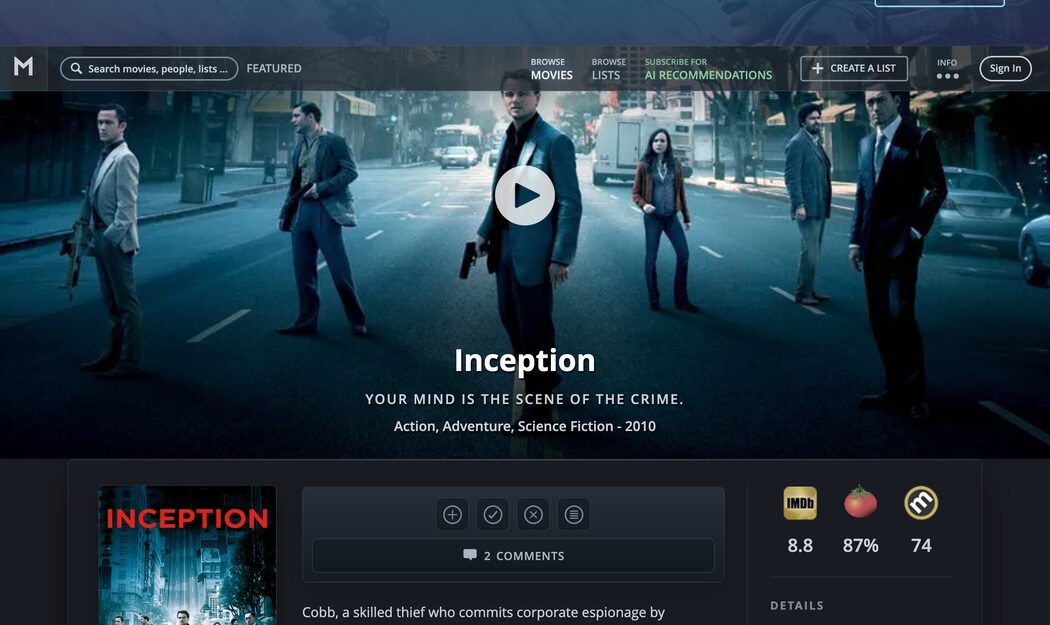
- Mark a few films you’ve seen. Search for movies you know, open each movie page, and press the ✓ seenlist button. Every seen film is one Movieo will never waste a recommendation on again.
- Save what looks good. When a title catches your eye, the + watchlist button parks it for later. This becomes your personal shortlist for future movie nights.
- Blacklist what you never want. The ✕ button hides a film for good — franchises you’re done with, genres you can’t stand. A short blacklist clears a surprising amount of noise.
- Browse with the filter sidebar. Head to the catalog and combine genre, the year slider, runtime and score minimums. Your seen and hidden films are folded into every view, so what you see is already yours.
Good to know
The three lists are free forever, and they travel: you can import years of history from IMDb, iCheckMovies or a CSV file, and export everything back out any time.
Rating the ten-movie calibration deck early gives the recommendation engine a first sketch of your taste — it takes about two minutes.
There’s no app to install. Movieo runs in the browser, and a phone browser is a first-class way to use it.
Browsing needs no account — the lists start when you sign up.